Добавление оглавления на C# и .NET
Создание оглавления (TOC) в PDF-документе — важная функция для улучшения навигации по документу и удобства пользователей. С помощью Sautinsoft.Pdf.Net вы можете легко создать оглавление на C# и .NET. В этой статье вы узнаете, как создать оглавление в PDF-документе с помощью SautinSoft.Pdf.
Чтобы добавить оглавление, вам нужно создать список элементов, которые будут включены в оглавление. Каждый элемент должен иметь заголовок и номер страницы. Вот как это можно сделать:
- Добавить SautinSoft.PDF из NuGet.
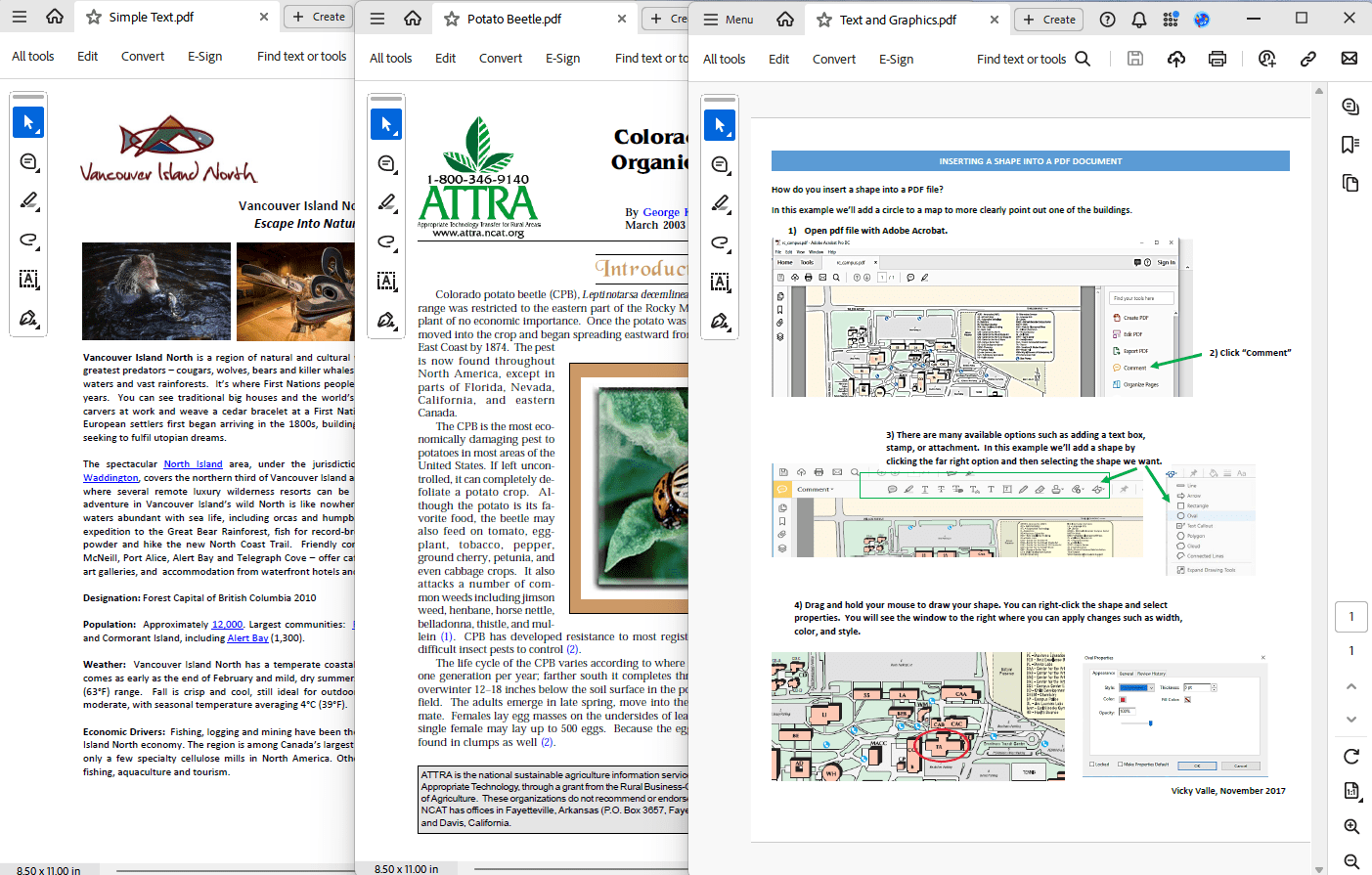
- Создать новый PDF-документ и объединить несколько PDF-документов в один новый PDF-документ.
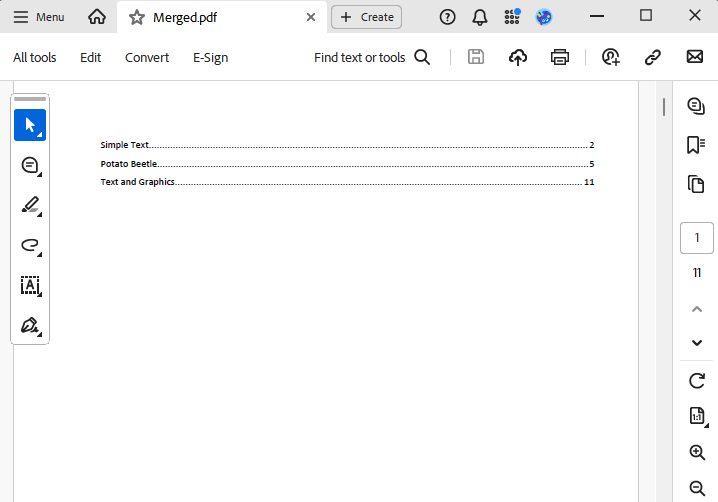
- Создать оглавление.
- Удалить пустые страницы (заполнители).
- Вставить страницы оглавления и обновить ссылки на оглавление.
- Save document as PDF.
Input file:
Output result:
Полный код
 GitHub
using System;
using SautinSoft.Pdf;
using System.IO;
using SautinSoft.Pdf.Content;
class Program
{
/// <summary>
/// Export and import images to PDF file.
/// </summary>
/// <remarks>
/// Details: https://sautinsoft.com/products/pdf/help/net/developer-guide/image-position-and-transformation.php
/// </remarks>
static void Main()
{
// Before starting this example, please get a free 100-day trial key:
// https://sautinsoft.com/start-for-free/
// Apply the key here:
// PdfDocument.SetLicense("...");
using (var document = new PdfDocument())
{
var page = document.Pages.Add();
// Load the image from a file.
var image = PdfImage.Load(@"..\..\..\submit.png");
double margin = 50;
// Set the location of the first image in the top-left corner of the page (with a specified margin).
double x = margin;
double y = page.CropBox.Top - margin - image.Size.Height;
// Draw the first image.
page.Content.DrawImage(image, new PdfPoint(x, y));
// Set the location of the second image in the top-right corner of the page (with the same margin).
x = page.CropBox.Right - margin - image.Size.Width;
y = page.CropBox.Top - margin - image.Size.Height;
// Initialize the transformation.
var transform = PdfMatrix.Identity;
// Use the translate operation to position the image.
transform.Translate(x, y);
// Use the scale operation to resize the image.
// NOTE: The unit square of user space, bounded by user coordinates (0, 0) and (1, 1),
// corresponds to the boundary of the image in the image space.
transform.Scale(image.Size.Width, image.Size.Height);
// Use the scale operation to flip the image horizontally.
transform.Scale(-1, 1, 0.5, 0);
// Draw the second image.
page.Content.DrawImage(image, transform);
// Set the location of the third image in the bottom-left corner of the page (with the same margin).
x = margin;
y = margin;
// Initialize the transformation.
transform = PdfMatrix.Identity;
// Use the translate operation to position the image.
transform.Translate(x, y);
// Use the scale operation to resize the image.
transform.Scale(image.Size.Width, image.Size.Height);
// Use the scale operation to flip the image vertically.
transform.Scale(1, -1, 0, 0.5);
// Draw the third image.
page.Content.DrawImage(image, transform);
// Set the location of the fourth image in the bottom-right corner of the page (with the same margin).
x = page.CropBox.Right - margin - image.Size.Width;
y = margin;
// Initialize the transformation.
transform = PdfMatrix.Identity;
// Use the translate operation to position the image.
transform.Translate(x, y);
// Use the scale operation to resize the image.
transform.Scale(image.Size.Width, image.Size.Height);
// Use the scale operation to flip the image horizontally and vertically.
transform.Scale(-1, -1, 0.5, 0.5);
// Draw the fourth image.
page.Content.DrawImage(image, transform);
document.Save("PositioningTransformations.pdf");
}
System.Diagnostics.Process.Start(new System.Diagnostics.ProcessStartInfo("PositioningTransformations.pdf") { UseShellExecute = true });
}
}Imports System
Imports System.IO
Imports System.Reflection.Metadata
Imports SautinSoft
Imports SautinSoft.Document
Imports SautinSoft.Pdf
Imports SautinSoft.Pdf.Annotations
Imports SautinSoft.Pdf.Content
Namespace Sample
Class Sample
''' <summary>
''' Merge PDF files and create TOC.
''' </summary>
''' <remarks>
''' Details: https://sautinsoft.com/products/pdf/help/net/developer-guide/table-of-content.php
''' </remarks>
Shared Sub Main(args As String())
' Before starting this example, please get a free 100-day trial key:
' https://sautinsoft.com/start-for-free/
' Apply the key here:
' PdfDocument.SetLicense("...")
Dim inpFiles As String() = {
Path.GetFullPath("..\..\..\Simple Text.pdf"),
Path.GetFullPath("..\..\..\Potato Beetle.pdf"),
Path.GetFullPath("..\..\..\Text and Graphics.pdf")
}
Dim outFile As String = Path.GetFullPath("Merged.pdf")
Dim tocEntries As New List(Of (Title As String, PagesCount As Integer))
' Create a new PDF document.
Using pdf As New PdfDocument()
' Merge multiple PDF documents the new single PDF.
For Each inpFile In inpFiles
Using source As PdfDocument = PdfDocument.Load(inpFile)
pdf.Pages.Kids.AddClone(source.Pages)
tocEntries.Add((Path.GetFileNameWithoutExtension(inpFile), source.Pages.Count))
End Using
Next
Dim pagesCount As Integer
Dim tocPagesCount As Integer
' Create PDF with Table of Contents.
Using tocDocument As PdfDocument = PdfDocument.Load(CreatePdfWithToc(tocEntries))
pagesCount = tocDocument.Pages.Count
tocPagesCount = pagesCount - tocEntries.Sum(Function(entry) entry.PagesCount)
' Remove empty (placeholder) pages.
For i As Integer = pagesCount - 1 To tocPagesCount Step -1
tocDocument.Pages.RemoveAt(i)
Next
' Insert TOC pages.
pdf.Pages.Kids.InsertClone(0, tocDocument.Pages)
End Using
Dim entryIndex As Integer = 0
Dim entryPageIndex As Integer = tocPagesCount
' Update TOC links and outlines so that they point to adequate pages instead of placeholder pages.
For i As Integer = 0 To tocPagesCount - 1
For Each annotation In pdf.Pages(i).Annotations.OfType(Of PdfLinkAnnotation)()
Dim entryPage As PdfPage = pdf.Pages(entryPageIndex)
annotation.SetDestination(entryPage, PdfDestinationViewType.FitPage)
entryPageIndex += tocEntries(entryIndex).PagesCount
entryIndex += 1
Next
Next
pdf.Save(outFile)
End Using
' Show the result.
System.Diagnostics.Process.Start(New System.Diagnostics.ProcessStartInfo(outFile) With {.UseShellExecute = True})
End Sub
Shared Function CreatePdfWithToc(tocEntries As List(Of (Title As String, PagesCount As Integer))) As Stream
' Create new document.
Dim document As New DocumentCore()
Dim section As New Section(document)
document.Sections.Add(section)
' Add Table of Content.
Dim toc As New TableOfEntries(document, FieldType.TOC)
section.Blocks.Add(toc)
' Create heading style.
Dim heading1Style As ParagraphStyle = CType(document.Styles.GetOrAdd(StyleTemplateType.Heading1), ParagraphStyle)
heading1Style.ParagraphFormat.PageBreakBefore = True
' Add headings and placeholder pages.
For Each entry In tocEntries
Dim heading As New Paragraph(document)
heading.ParagraphFormat.Style = heading1Style
heading.Content.Start.Insert(entry.Title)
section.Blocks.Add(heading)
For i As Integer = 1 To entry.PagesCount
section.Blocks.Add(New Paragraph(document))
Next
Next
' Save the document to a memory stream.
Dim stream As New MemoryStream()
document.Save(stream, New SautinSoft.Document.PdfSaveOptions())
stream.Position = 0
Return stream
End Function
End Class
End Namespace
Если вам нужен пример кода или у вас есть вопрос: напишите нам по адресу support@sautinsoft.ru или спросите в онлайн-чате (правый нижний угол этой страницы) или используйте форму ниже: