Преобразование PDF на иностранном языке в Word на C# и .NET
Преобразование отсканированных PDF-документов в файлы Word может оказаться непростой задачей, особенно если документ содержит текст на другом языке. В этой статье мы рассмотрим, как использовать SautinSoft.Pdf для выполнения этой задачи на C# и .NET.
Пошаговое руководство:
- Загрузить требуемый языковой файл.
- Добавить SautinSoft.PDF из NuGet.
- Загрузить PDF-документ.
- Extract изображения с первой страницы.
- Perform распознавание первой страницы.
- Сохранить документ в формате DOCX.
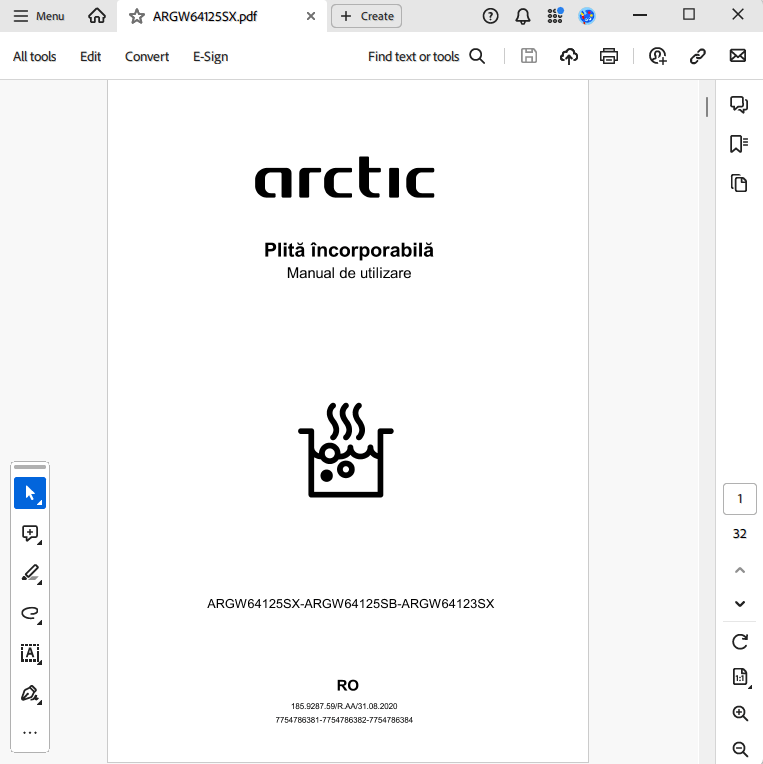
Входной файл: simple text.pdf
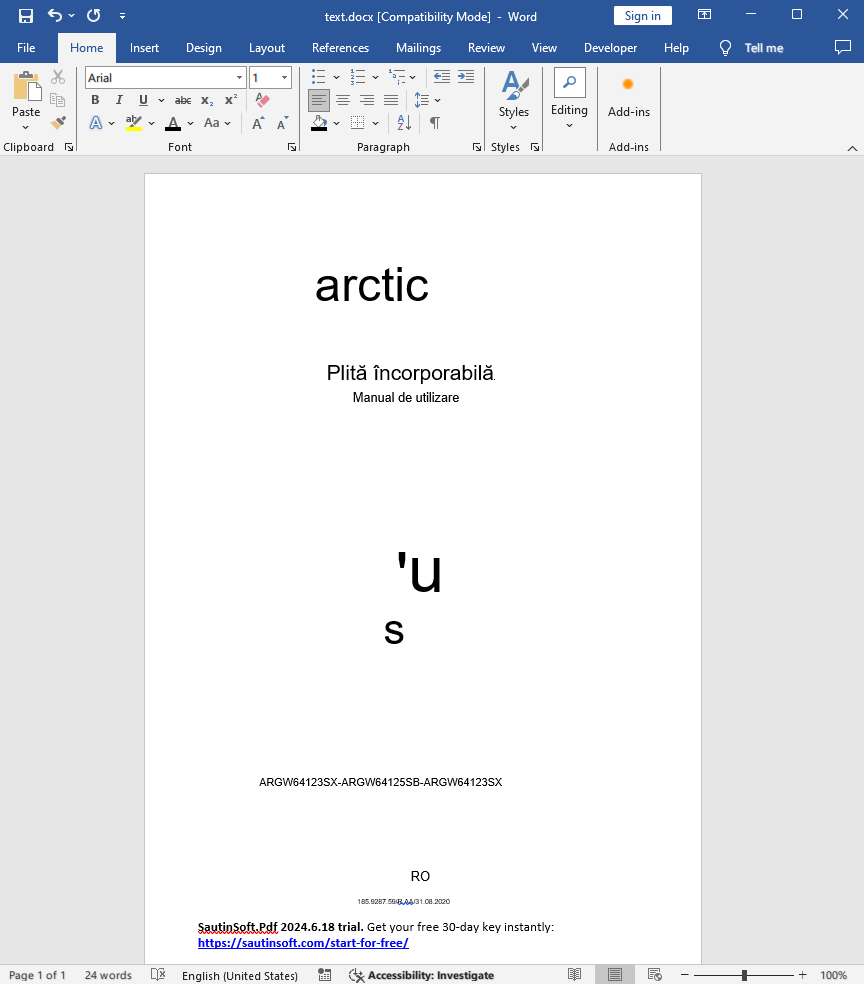
Выходной результат:
Полный код
 GitHub
using SautinSoft.Pdf;
using SautinSoft.Pdf.Content;
using SautinSoft.Pdf.Objects;
using System;
using Tesseract;
using System.Collections.Generic;
using System.IO;
using System.Linq;
namespace OCR
{
class OCR
{
/// <summary>
/// Convert scanned PDF with other language to Word
/// </summary>
/// <remarks>
/// Details: https://sautinsoft.com/products/pdf/help/net/developer-guide/convert-scanned-pdf-with-other-language-to-word.php
/// </remarks>
static void Main()
{
try
{
//Before executing, download the required language file from the link: https://github.com/tesseract-ocr/tessdata/tree/main
//Place the file in a folder convenient for you and specify the path to it.
string tesseractLanguages = "ron";
string tesseractData = Path.GetFullPath(@"..\..\..\tessdata");
string tempFile = Path.Combine(tesseractData, Path.GetRandomFileName());
PdfDocument pdfDocument = PdfDocument.Load(@"..\..\..\ARGW64125SX.pdf");
PdfDocument pdfDocument1 = new PdfDocument();
PdfFormattedText text = new PdfFormattedText();
using (Tesseract.TesseractEngine engine = new Tesseract.TesseractEngine(tesseractData, tesseractLanguages, Tesseract.EngineMode.Default))
{
var collection = pdfDocument.Pages[0].Content.Elements.All().OfType<PdfImageContent>().ToList();
var pdfPage1 = pdfDocument1.Pages.Add();
pdfPage1.SetMediaBox(pdfDocument.Pages[0].MediaBox.Left, pdfDocument.Pages[0].MediaBox.Bottom, pdfDocument.Pages[0].MediaBox.Right, pdfDocument.Pages[0].MediaBox.Top);
for (int i = 0; i < collection.Count(); i++)
{
engine.DefaultPageSegMode = Tesseract.PageSegMode.Auto;
using (MemoryStream ms = new MemoryStream())
{
collection[i].Save(ms, new ImageSaveOptions());
byte[] imgBytes = ms.ToArray();
using (Tesseract.Pix img = Tesseract.Pix.LoadFromMemory(imgBytes))
{
using (var page = engine.Process(img, "Serachablepdf"))
{
var st = page.GetText();
double scale = Math.Min(collection[i].Bounds.Width / page.RegionOfInterest.Width, collection[i].Bounds.Height / page.RegionOfInterest.Height);
using (var iter = page.GetIterator())
{
iter.Begin();
do
{
do
{
do
{
iter.TryGetBoundingBox(PageIteratorLevel.TextLine, out Rect liRect);
text.FontSize = liRect.Height * scale;
text.Append(iter.GetText(PageIteratorLevel.TextLine));
pdfPage1.Content.DrawText(text, new PdfPoint(collection[i].Bounds.Left + liRect.X1 * scale, collection[i].Bounds.Top - liRect.Y1 * scale - text.Height));
text.Clear();
} while (iter.Next(PageIteratorLevel.Para, PageIteratorLevel.TextLine));
} while (iter.Next(PageIteratorLevel.Block, PageIteratorLevel.Para));
} while (iter.Next(PageIteratorLevel.Block));
}
}
}
}
collection[i].Collection.Remove(collection[i]);
}
}
pdfDocument1.Save(@"text.docx");
System.Diagnostics.Process.Start(new System.Diagnostics.ProcessStartInfo(@"text.docx") { UseShellExecute = true });
}
catch (Exception e)
{
Console.WriteLine();
Console.WriteLine("Please be sure that you have Language data files (*.traineddata) in your folder \"tessdata\"");
Console.WriteLine("The Language data files can be download from here: https://github.com/tesseract-ocr/tessdata_fast");
Console.ReadKey();
throw new Exception("Error Tesseract: " + e.Message);
}
finally
{
}
}
}
}