Use «SautinSoft.PdfMetamorphosis» library under Windows
You can easily use «SautinSoft.PdfMetamorphosis» in any .NET application, because of the component is completely written in C# managed code.
1. Add dependencies through NuGet (optional):
- Open Microsoft Visual Studio and create a new project or open an existing
- Solution Explorer Window –> right click by "References" –> Manage NuGet Packages... –> In the tab "Browse" type "sautinsoft" and find the "sautinsoft.pdfmetamorphosis"
- Select the desired version API and click "Install"
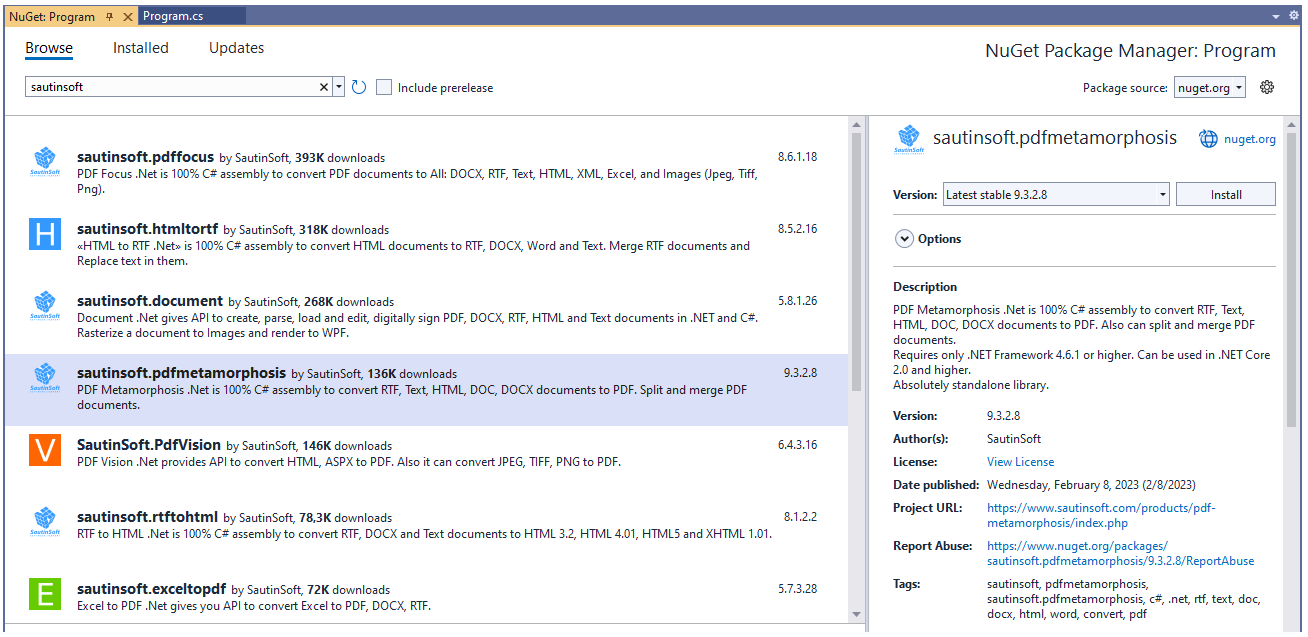
The selected API will be downloaded and referenced in your project. All dependencies are already installed automatically.
Using Manage NuGet Packages you can also update SautinSoft.PdfMetamorphosis to the desired version.
2. Add the reference to PdfMetamorphosis.dll:
- First of all, download the SautinSoft.PdfMetamorphosis package. Unzip it at any place in your computer and find the assembly file "PdfMetamorphosis.dll"
- Open Microsoft Visual Studio and create a new project or open an existing project
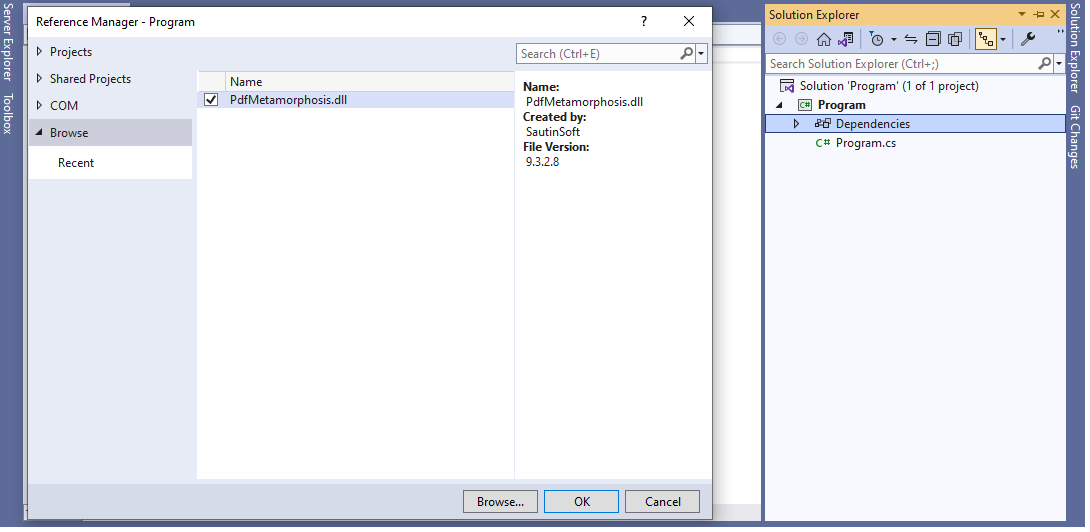
- Solution Explorer Window –> right click by "Dependencies" –> Add Project References –> In the tab "Browse" find the "PdfMetamorphosis.dll"
- Once you have referenced PdfMetamorphosis.dll, add these dependencies to your project:
Note
PdfMetamorphosis.dll assemblies compiled for .NET Framework 4.6.2 - 4.8 are located inside (pdf_metamorphosis_net.zip –> SautinSoft.PdfMetamorphosis (X.X.X.X)\Bin\.NET Framework X.X) folder.
PdfMetamorphosis.dll assemblies compiled for .NET 6 and up are located inside (pdf_metamorphosis_net.zip –> SautinSoft.PdfMetamorphosis (X.X.X.X)\Bin\.NET X.X) folder.